OGO!
Creating AI Videos – For Boys Only in Grades 7–10 | 2026/2027 2026/2027
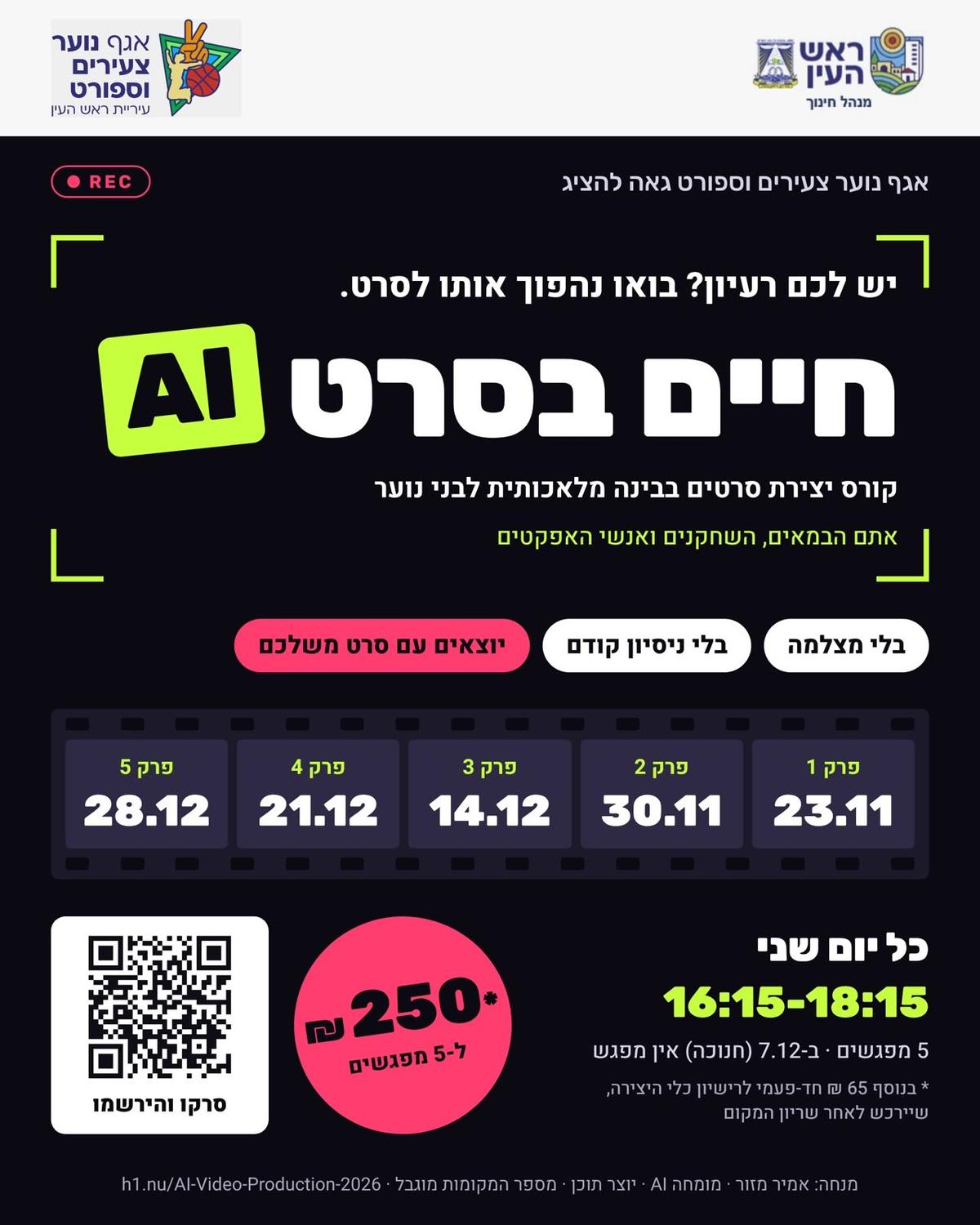
November 23 – December 28
Starts November 23 at 4:15 PM
HaMartef Youth Center
Neve Afikim St 1, Rosh Haayin
Weather · Rosh Haayin
Summary
AI video creation course for boys in grades 7–10, from 23/11/2026 to 28/12/2026 at “HaMiklat” Youth Center.
Descriptiontranslated from Hebrew (original)
AI Video Creation Course!
In five practical sessions, each participant creates their own video from scratch—from an idea and script, through creating characters and scenes, animation and music, to final editing and a festive screening at the end of the course.
Participants leave with a finished video they can share, and genuine command of the most advanced AI tools, which they can use for creative work, studies, and the world of tomorrow.
This course is open to boys only—note
AI Video Creation Course for Teenagers
From idea to screening: script, images, motion, sound, and editing
At the end of the course, each participant leaves with an approximately one-minute video they created themselves from scratch.
5
Weekly sessions
2
Hours per session
10
Instruction hours
Up to 12
Participants per group
Important Information for Parents and Participants
- Who: Boys and girls from middle school through high school, with no prior technical knowledge required.
- What to bring: A personal laptop to every session.
- Creation tool: A personal VAR2 Pro subscription (ages 13 and up), paid for separately by the parents.
- Editing: CapCut in its free version.
- Accounts: Opened during the first session, with parental approval.
- After the course: Support in a closed WhatsApp group for five months.
Course Track
From idea to screening, session by session
Session 1
Stage 1 · Planning
From idea to plan—introduction, script, and storyboard
- What exactly is AI video, and how do you create a complete video without a camera?
- Important terms to know: prompt, model, credits, text-to-image, and image-to-video.
- Watching examples of AI videos and breaking them down into stages.
- Each participant chooses an idea and writes a short script with the help of a chatbot, such as ChatGPT or Gemini.
- Planning the video scene by scene in a storyboard (a visual planning board).
Practical exercise: Opening an account and creating the first image with an AI tool.
Session 2
Stage 2 · Images
Creating images—turning the idea into visuals
- How to write a good prompt: subject, style, lighting, camera angle, and atmosphere.
- Maintaining a consistent style throughout the video: realistic, animation, comic book, and more.
- Keeping the same character throughout all the scenes (character consistency).
- Correcting and improving images that did not turn out as intended.
Practical exercise: Producing an image for each scene in the personal storyboard.
Session 3
Stage 3 · Motion
Animation—bringing the images to life
- Turning a static image into a short video clip.
- Writing a motion prompt: what moves in the scene and how.
- Camera movements: zoom, sideways movement, rotation, and an overhead view.
- Tips for avoiding distortions and achieving natural movement.
Practical exercise: Producing an animated clip for each scene in the video.
Session 4
Stage 4 · Sound
Music and sound—giving the video a voice
- Why sound is half the video: how music changes the feeling.
- Creating original music with AI according to atmosphere, style, and rhythm.
- Adding sound effects and, when necessary, voice-over.
- Adjusting the soundtrack to the length and pace of the video.
Practical exercise: Creating the complete soundtrack for the personal video.
Session 5
Stage 5 · Editing and Screening
Editing and screening—assembling a complete film and screening it
- Combining all the clips into one continuous video in CapCut, according to the order planned in the storyboard.
- Adding transitions, subtitles and on-screen text, and synchronizing them with the soundtrack.
- A glimpse into the future: a live demonstration of video editing in a conversation with Claude, explaining in simple words how the video should look.
- Exporting in a format suitable for social media.
A festive screening of all the participants’ videos.
Your Video’s Journey
Idea and script
←
Images
←
Motion
←
Sound
←
Finished video
What You Take Home
A finished video approximately one minute long Practical skill with AI tools Five months of WhatsApp support
Join the official quiet updates group of the Youth Department to receive all relevant updates about our activities:
Add to calendar
Share this event:
Similar events
Loading similar events...